The technique is simple. Generate one storyboard image with every shot in it. Hand it to a video model. Let the model animate what it sees instead of guessing what you meant.
Four things change when you work this way:
- More precise prompting. A visual reference controls more than a paragraph of text. The model copies what is in the frame instead of inventing it.
- More efficient. One storyboard image, not four separate generations stitched together. One review cycle, not four.
- Lower cost. Image generations are a fraction of video generations. You catch bad ideas at the storyboard stage, before any video credit is burned.
- Production scale. Once the chain works, swap the brief and rerun. Seedance 2 is reliable enough at this format that variants come out usable on the first pass.
The full workflow is published here. The rest of this article covers when to use it and the prompt that makes it work.
The two models
GPT Image 2 generates the storyboard. It handles structured prompts and renders text and panel labels cleanly enough to produce a real storyboard, not just four loosely related images.
Seedance 2 animates it. It accepts an image as a first frame and follows shot-by-shot direction. The pairing works because the handoff is direct. The storyboard is the prompt.
The workflow
Step 1. Set the direction
Write down what matters to you before generating anything:
- The environment
- The vibe
- The format
- The beat structure
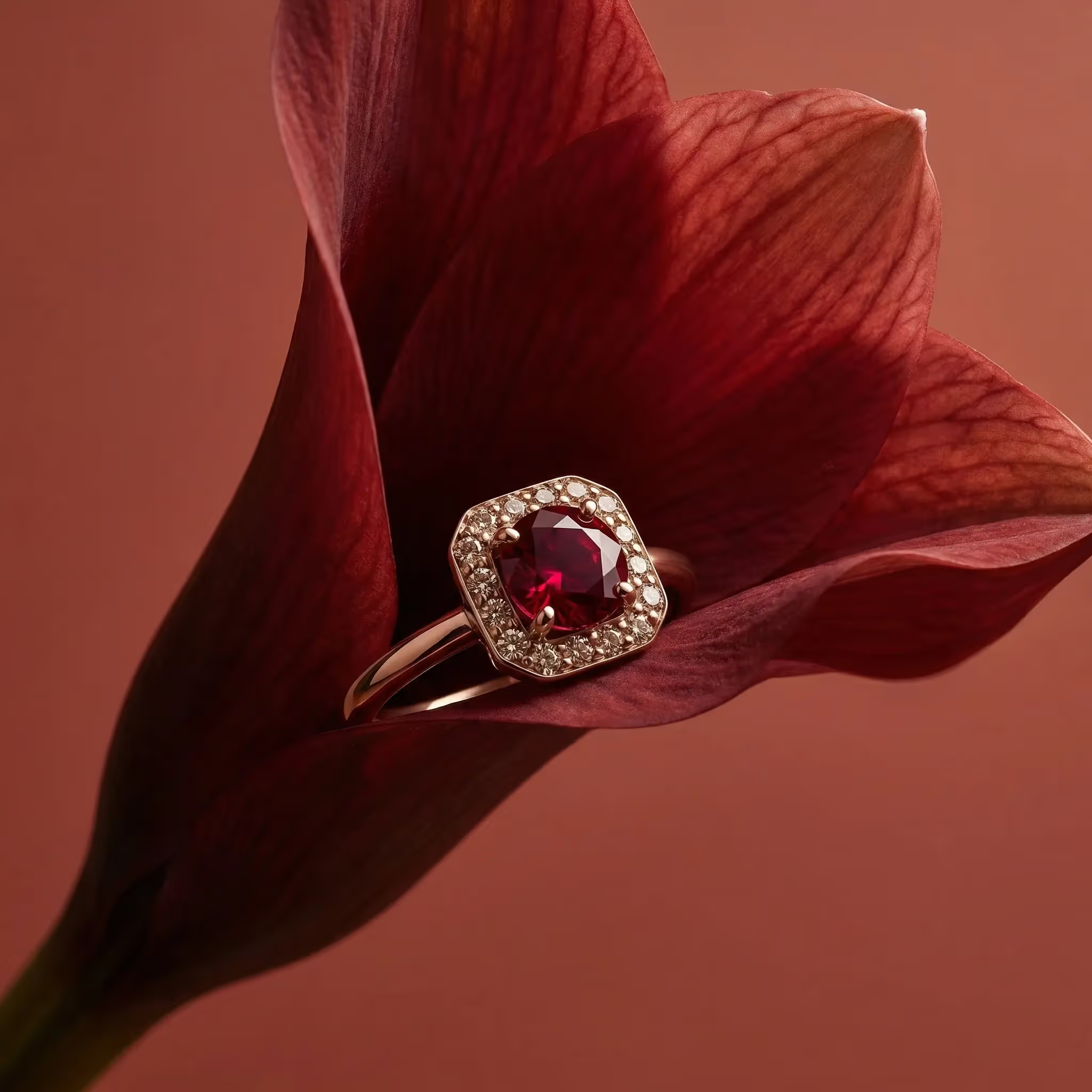
Any element that may impact the storyboard you’ll actually make. For better results, also prompt an initial image that is consistent with your art direction and shows the product you want to represent clearly.
Step 2. Generate the storyboard with GPT Image 2
Feed the model your packshot and a structured prompt asking for a storyboard laid out as a grid.
Example of low-detail prompt:
Create a storyboard following the same template as the input image.
This is for this red ring product. The frames should be sensual, dynamic, tactile.
Make sure the frames are in 9:16
The storyboard must be the one of a high-end jewerly TV advertising.
Avoid dialogue, make sure it is 10s video
Storyboard should be written in English (not like in the example storyboard)
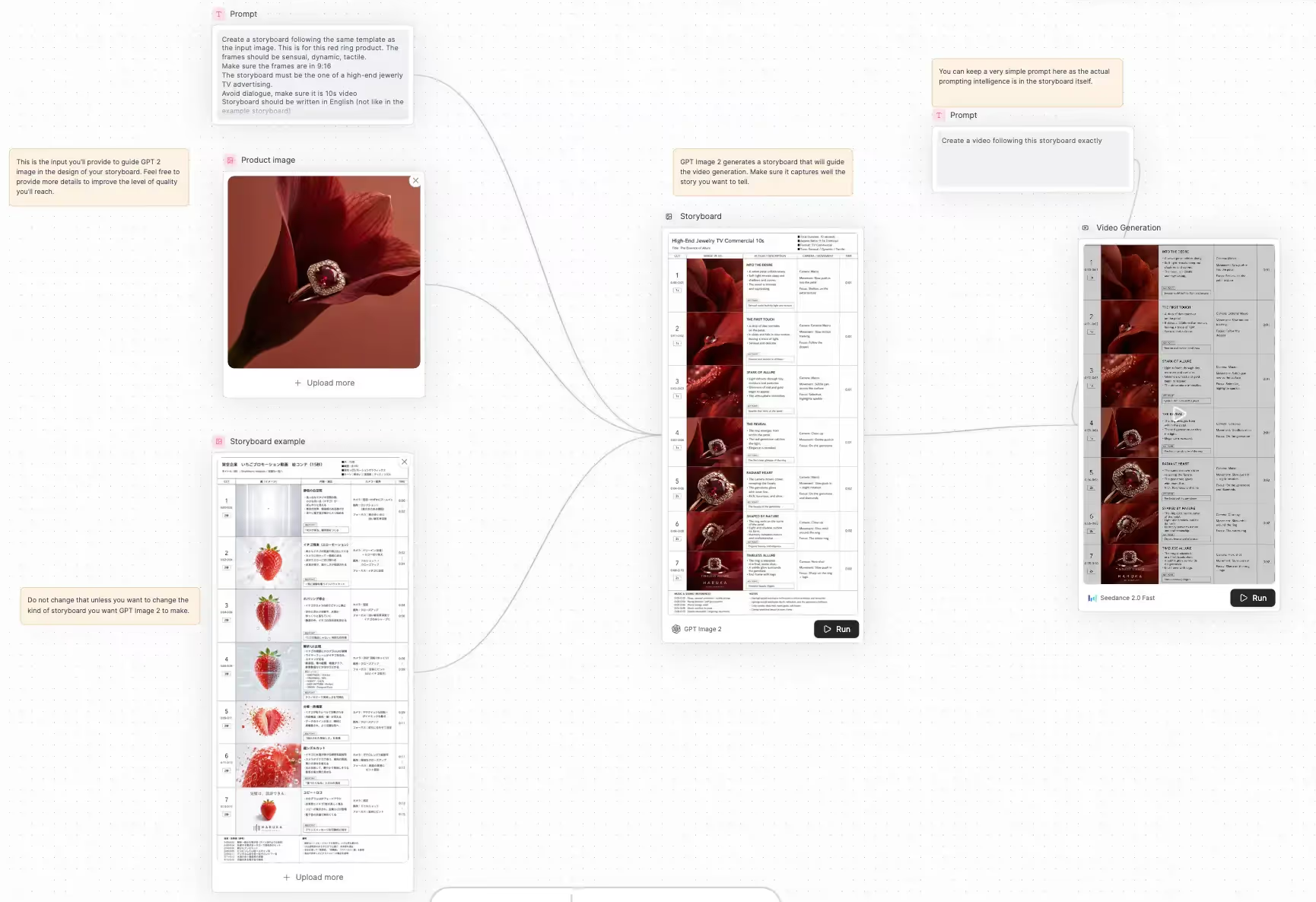
Review the output. Iterate here. It is the cheap stage and Pletor makes that extremely easy to test several options at the same time.
Step 3. Animate with Seedance 2
The Seedance 2 prompt is short. The storyboard does the heavy lifting.
Animate this storyboard exactly, following each panel in order.
Running it as a workflow
Both steps can be chained in Pletor so the storyboard image flows directly into the video generation without manual handoff. The full workflow is available here. Plug in your packshot and brief, and the chain produces a finished video.

Ferdinand Terme
Founder & CEO @Pletor
Build your creative system.
Start free. Scale when you're ready.